Look after your practice's image on Google before a patient books
A patient who is unsure about booking reads your reviews and how you reply to them. pirx.convo suggests a calm, tactful reply in your practice's voice within seconds, and you approve it between patients.
- connect your Google account and try it free, no card
From sign-in to your first reply
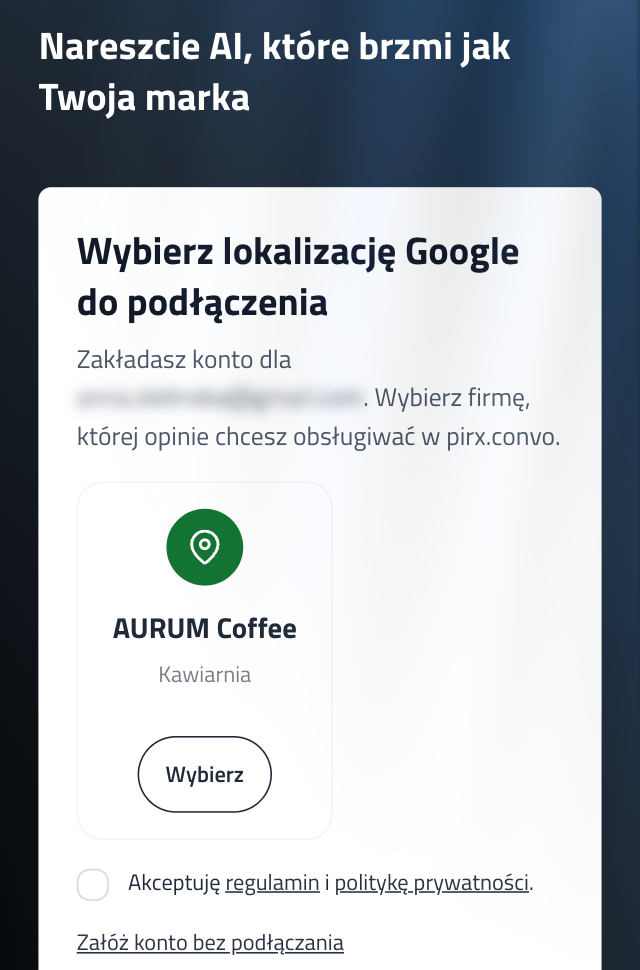
Connect your profile
Sign in with Google and pick one location. No forms, nothing to set up.
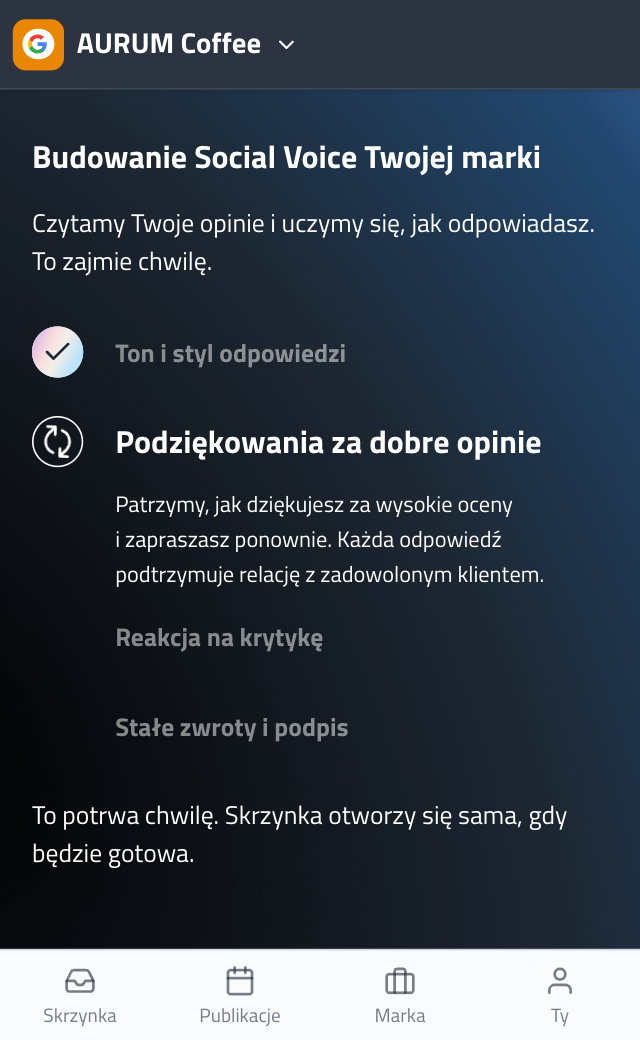
We learn your style
pirx.convo reads your reviews and your past replies, then builds your business's Social Voice: vocabulary, tone and the way you talk to customers.
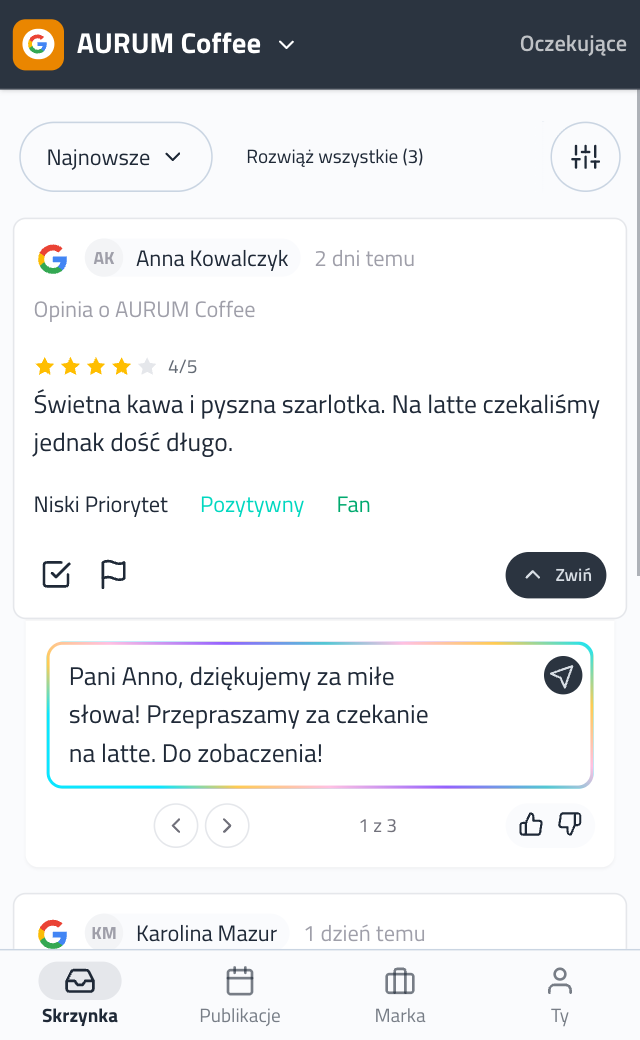
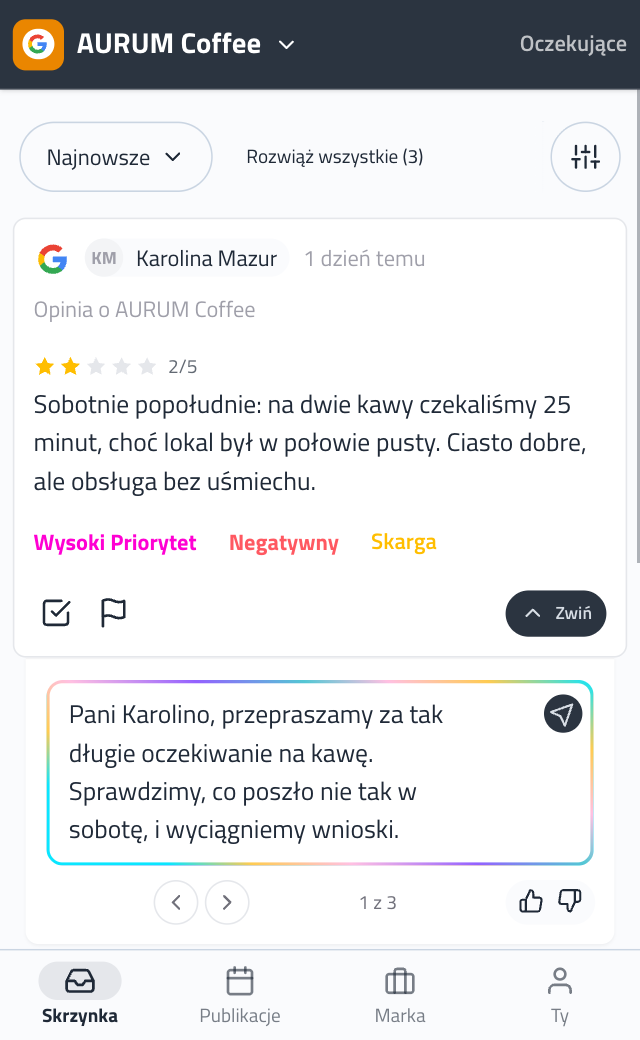
Open a review, get suggestions
Click a review in your inbox and within seconds you have suggested replies. Pick one, tweak it if you like, and publish.
Why replying to reviews pays off
Your Google listing is often the first thing customers see, replies included.
-
👀
Customers read before they call Before booking a table or an appointment, they go through your reviews, then your replies. A calm, specific answer to criticism tells them more about your business than another five-star review.
-
📍
Get more visible on Google According to a guide by Google and Sprout Social, responding to every review helps your listing appear more frequently and higher up in search results. Helpful replies also help you stand out.
-
🤝
Customers see you listen Google notifies the reviewer when you reply, and they can then edit their review. In BrightLocal's 2026 survey, 80% of consumers are likely to use a business that replies to every review.
Sources: Google Business Profile Help, “Tips to improve your local ranking on Google” · Google Business Profile Help, “Manage customer reviews” · Google & Sprout Social, “Building a Better Reputation with Reviews” · BrightLocal, Local Consumer Review Survey 2026 (US)
Confidentiality, difficult reviews and no time
Patient confidentiality and GDPR
The draft steers clear of treatment, diagnosis and anyone's health: it thanks, apologises and invites the patient to contact reception. Details stay off Google, and you read every reply before it goes out.
A review after a visit that went wrong
Harsh criticism gets a balanced draft, with no excuses and no arguing. Whether and how to reply is the doctor's call.
No time between patients
Open the review, get a suggestion within seconds, change one sentence and you're back with your next patient. Your evening stays free.
Who it's for
A restaurant talks differently from a clinic, and a salon differently from a garage. pirx.convo suggests replies that sound like your business.
Calm, clear conversation and everything explained in detail. Recommended.
Thank you for your kind words, Tom. We're glad you felt comfortable with us. If you have any questions, please contact our reception directly.
You have the final say
AI prepares the draft. The decision is always yours.
- Nothing reaches Google without your click.
- Critical reviews get a balanced draft, not an automatic reply.
- The model learns only from your profile and your replies - for your business alone.
- Your data is encrypted and the tool is designed with GDPR in mind.
Replying in Google Maps vs pirx.convo
You write every reply from a blank field.
Replies sound different depending on who writes.
Tough reviews get an emotional reply, or none.
With several locations you hop between profiles.
Reviews wait until you find a free evening.
Open a review and the drafts are ready.
Your business's tone, based on your past replies.
For criticism you get a measured draft.
Every location in one inbox, in one style.
You approve a reply with one click.
Google reviews are just the start
Facebook comments, Instagram and Messenger messages, TikTok comments. Everything lands in the same inbox, and you reply in one tone, from one place.
- Messenger
- TikTok
- YouTube
- LinkedIn Coming soon
- X (Twitter) Coming soon
- Threads Coming soon
- App Store Coming soon
- Google Play Coming soon
Questions before you start
Which Google permissions do you ask for, and why?
We ask for access to manage your Google Business Profile. That lets us read your reviews and publish the replies you approve.
Does pirx.convo publish replies on its own?
No. Suggested replies are created when you open a review in your inbox. Only the one you click "Approve" on goes to Google, and you can edit it first.
Can I connect several locations?
Yes. You pick one when you sign up and add more in the app.
How much does it cost?
It's free during the beta. No card needed.
Does it handle Facebook and Instagram too?
Yes. Comments and messages from Facebook and Instagram land in the same inbox as your Google reviews.
My Google account has no Business Profile. What now?
You can still create a pirx.convo account and connect Facebook or Instagram right away.
Try it for free
- Full access during the beta Full access in beta
- No card, no commitment No card
- Facebook and Instagram in one inbox Facebook and Instagram too
Sign in with Google - it takes two minutes.